Up to 10×
as many photos.

Same storage. More everyday moments.

LoLog is a camera app that takes photos using much less storage, with minimal impact on image quality.

Download on the App Store

* Illustrative comparison: 3 MB vs 300 KB per photo using the same storage. Actual file sizes and savings vary with resolution, compression settings, scene detail, lighting, and image noise.

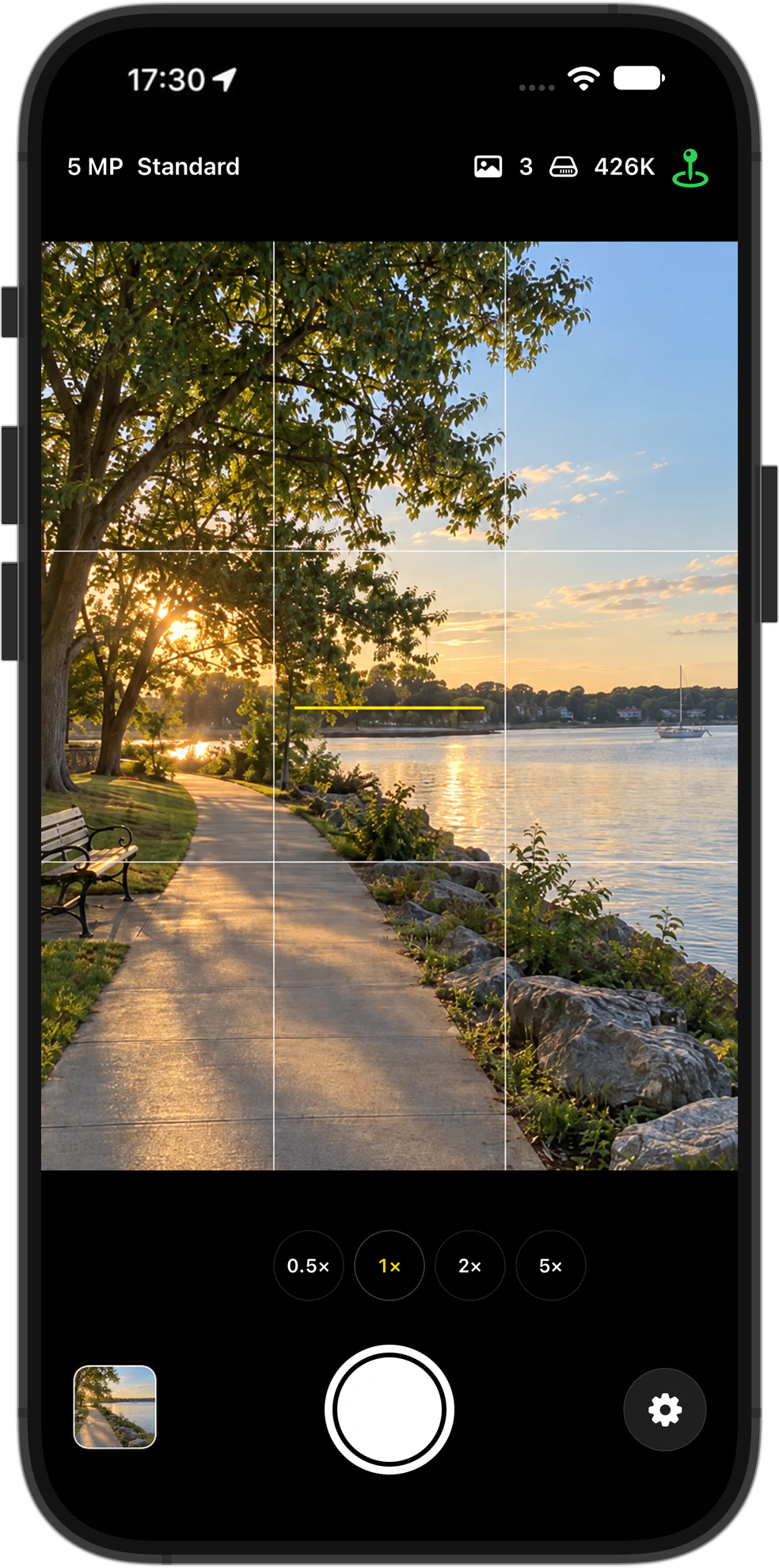
Rendered LoLog screenshot on iPhone 18 Pro Max at 17:30 with three saved photos, a waterfront viewfinder and thumbnail, and a green GPS indicator.
LoLog on iPhoneRendered image.

Smaller files.
Room for more.

LoLog is designed to take much smaller photos with little noticeable loss of quality in everyday viewing. Adjust the resolution and file-size preference to find the balance that suits you.

For everyday memories, room for up to 10× as many photos can be more valuable than one photo file 10× the size. Smaller files use less storage and can help keep storage costs down.

One-time purchase. No subscription. No ads.

1 photo

Friends walking beside the waterfront.

10 photos

Friends walking beside the waterfront.
Coffee at a café.
A dog at the park.
A meal shared with friends.
A bicycle beside a quiet street.
Flowers at a market.
The view from a train.
A birthday cake.
Books in a reading space.
Sunset at the coast.
More memories in the same space.* Rendered photos. Illustrative storage comparison.
More
3 GB. More photos.Illustrative storage comparison

1,000photos at 3 MB each

10,000photos at 300 KB each

Room for a whole collection.Estimated photo counts at an illustrative 300 KB per photo.
Space for photosEstimated photos
128 GB427 thousand photos
256 GB853 thousand photos
512 GB1.71 million photos
1 TB3.33 million photos

Illustrative estimates using decimal units (1 GB = 1 billion bytes; 1 TB = 1,000 GB). These assume all the listed space is available for photos. On your phone, the system, apps, videos, and other files also use storage. Actual photo sizes and available space vary.

Resolution & File Size

Choose your resolution and file size.

Resolution

How many pixels you keep
  • 2 MP
  • 5 MP
  • 12 MP

More pixels keep more detail, so photos hold up better when you zoom in.

File Size

How strongly the image is compressed
  • Small
  • Standard
  • Large

Smaller files use stronger compression. Larger files preserve more image data.

Both settings affect storage use.

Camera Control

Open straight into the camera.

Camera Control is available on supported iPhones.

Open

Open LoLog directly with Camera Control.

* Requires setup in iPhone’s Settings.

Photo

Tap the shutter to take a photo.

Video

Press and hold the shutter to record video.

Photo Library

Saved straight to your photo library.

Photos are saved directly to your photo library as JPEG or HEIF where supported.

Review them in LoLog, or edit, share, and organise them with the apps you already use.

LoLog does not keep a hidden full-resolution original after the finished photo is saved.